How I Structure Large Next.js
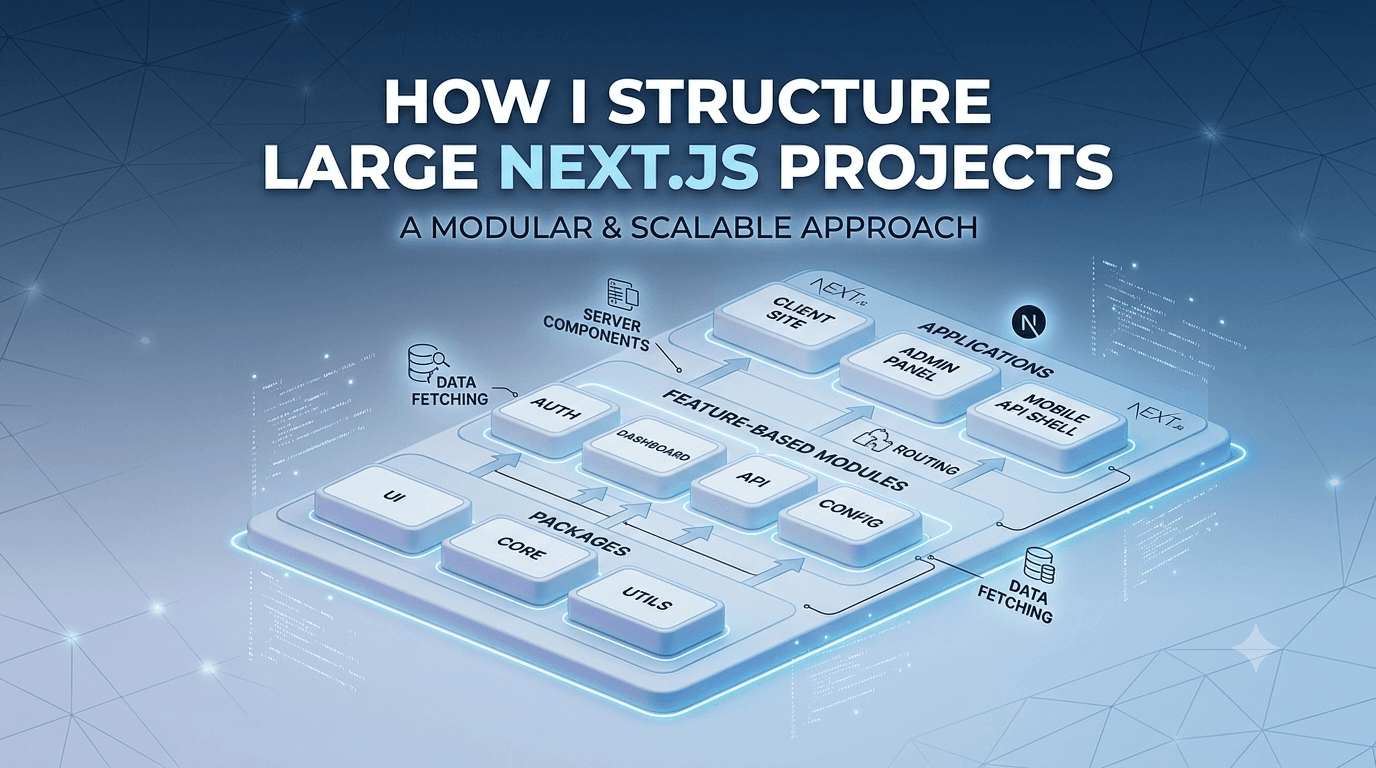
Choosing the right architecture for a frontend project is like laying the foundation of a building. If this foundation isn't built properly, your codebase will inevitably turn into an unmaintainable mountain of "spaghetti code" as soon as new features are added or new developers join the team.
Over my 5 years of professional experience in frontend and full-stack development, I’ve tested various architectures—ranging from simple folder structures to massive enterprise-level repositories. With the introduction of the App Router in Next.js, the rules of the game changed significantly, introducing a brand-new paradigm that blends Server Components and Client Components.
In this article, we’ll first explore common frontend architectural patterns to understand what scale they suit best. Then, we'll take a special look at the powerful Monorepo architecture, and finally, we will completely dissect the standard architecture I personally use in my Next.js (App Router) projects.
Types of Frontend Architectures
Frontend projects require different architectural approaches depending on their size, the development team, and business goals. Let's review the main patterns:
1.Monolithic Architecture (Best for Small to Medium Projects)
In this pattern, all frontend code (components, styles, logic, and routing) resides in a single, unified repository. This is the default structure you get when you run create-react-app or create-next-app.
Use Cases: Corporate websites, small e-commerce stores, blogs, and MVPs (Minimum Viable Products).
Pros: Fast setup, easy debugging, and straightforward deployment.
Cons: As the project scales, build times increase significantly, and the likelihood of merge conflicts among team members rises.
2. Micro-Frontends (Best for Large Enterprises)
Inspired by backend microservices, this pattern splits a massive web application into smaller, independent pieces. For instance, in a large e-commerce platform, the shopping cart team, search team, and user profile team might each work in their own isolated repository with their own tech stack, eventually serving everything inside a unified "shell."
Use Cases: Massive applications on the scale of Spotify or Netflix, where dozens of independent teams work concurrently.
Pros: Complete team autonomy, tech-stack flexibility (e.g., mixing React and Vue), and independent deployments.
Cons: Extremely high infrastructure complexity and major challenges in sharing state and styles between micro-apps.
3. Monorepo Architecture (The Golden Balance for Multi-App Ecosystems)
A Monorepo (Monolithic Repository) is an approach where the source code for multiple independent projects or applications is housed within a single repository. Tools like Turborepo or Nx are typically used to orchestrate this structure.
Imagine you have a product consisting of three parts: a landing page, an admin dashboard, and a user portal. Normally, you'd create three separate repositories. In a monorepo, your structure includes an apps folder for the applications and a packages folder for shared code.
Use Cases: When you have interconnected applications that need to share UI components, TypeScript configurations, or utility functions.
Pros:
Seamless code sharing (e.g., a shared
uipackage using Tailwind and Shadcn UI across all apps).Simplified dependency and version management.
Unified, cross-project refactoring.
Cons: Requires initial configuration overhead with tools like Turborepo and demands a higher level of expertise from the development team.
4. Feature-Sliced Design (FSD)
This is a methodology for organizing files and folders. Instead of grouping files by their type (e.g., a folder for all components, a folder for all hooks), code is organized based on business domains and features. We'll see exactly how I incorporate this concept into my personal architecture below.
My Proposed Architecture for Next.js (App Router)
When it comes to modern frontend and full-stack development with Next.js, our chosen tech stack dictates a lot of our architectural decisions. The structure I’m about to introduce is a battle-tested architecture that has matured by combining TypeScript, Tailwind CSS, and Shadcn UI on the frontend, alongside tools like Prisma and NextAuth for full-stack workflows.
With the introduction of the app directory in Next.js, we need a structure that gracefully handles the separation of Server Components and Client Components.
The Directory Tree Overview
A professional project utilizing this architecture will generally look like this:
Plaintext
├── src/
│   ├── app/                # Routing system, Layouts, and API Routes
│   ├── components/         # Global shared components & UI Elements
│   │   ├── ui/             # Base components (Shadcn UI)
│   │   └── shared/         # Common project components (e.g., Header, Footer)
│   ├── features/           # Business logic and independent features (The Core)
│   ├── lib/                # Configurations for third-party libraries/tools
│   ├── hooks/              # Global React hooks
│   ├── types/              # Global TypeScript definitions (Interfaces, Types)
│   ├── utils/              # Helper functions and formatters
│   └── styles/             # Global CSS files
├── prisma/                 # Database schema and migrations
├── public/                 # Static assets (images, fonts)
├── middleware.ts           # Next.js Middleware
├── tailwind.config.ts      # Tailwind CSS configuration
└── tsconfig.json           # TypeScript configuration
Anatomy of the Architecture: What Does Each Folder Do?
To better understand this architecture, let's dive into its most critical parts.
1. The app Directory (Routing and Entry Points Only)
In the App Router paradigm, the app folder should be kept as clean and sparse as possible. Files like page.tsx and layout.tsx should not contain complex business logic. Their sole responsibility is reading URL parameters, handling initial Server-Side Data Fetching, and passing that data down to the relevant components imported from the features folder. Additionally, API Routes (app/api/) live here, acting as the bridge between your frontend and your database (via Prisma).
2. The components Directory (The Building Blocks)
I strictly divide this folder into two sub-categories:
ui/: This is the home for "dumb" or foundational components built with Shadcn UI and Tailwind CSS (like Button, Input, Modal). These components have zero awareness of the project's business logic.shared/: Components that are repeated across the entire project but aren't tied to a specific feature (e.g., a globalNavbarorFooter).
3. The features Directory (The Beating Heart of Your Project)
This folder is the most important part of this architecture, heavily inspired by Feature-Sliced Design. Instead of scattering registration logic across the components and hooks folders, we group them into highly cohesive, independent modules.
Let's say you are building an Authentication feature. Its folder would look like this:
Plaintext
src/features/auth/
├── components/          # LoginForm, RegisterForm, AuthProvider
├── hooks/               # useLogin, useUserSession
├── services/            # API call functions for authentication
├── types/               # Auth-specific TypeScript interfaces
└── schemas/             # Form validation schemas using Zod
Why is this incredible? Because if you decide to change or completely remove the Auth system tomorrow, you simply delete one folder. You won't leave behind any hidden, orphaned dependencies scattered throughout your codebase.
4. The lib Directory (Managing External Dependencies)
Any third-party tool or library that requires configuration lives here. We strictly avoid importing raw libraries directly into our feature files; instead, we initialize them here and import our customized instances. Common examples include:
db.ts(orprisma.ts): The instantiation of the Prisma Client.auth.ts: NextAuth configurations for managing sessions and OAuth providers.utils.ts: Tailwind class mergers (like thecnutility used by Shadcn).axios.ts: Configured HTTP client instances.
5. Database & Authentication Integration (The Full-Stack Approach)
One of the main reasons I love this architecture is the seamless synergy between frontend and backend in Next.js. By placing the prisma folder at the root of the project, we synchronize our database schema perfectly with TypeScript. When we query the database inside Server Components (within the app folder), strict typings automatically flow down to the deepest nested Client Components. Combining Prisma for data and NextAuth for identity requires an architecture where Server Actions and API Handlers are neatly orchestrated between features/ and app/api/.
Conclusion: The Golden Rule of Development
Software architecture is not a dogma. A structure that is vital for a massive e-commerce platform might be massive overhead for a simple portfolio or landing page.
The true art of a developer lies in knowing when to use a simple Monolithic approach, when to reach for a Monorepo with Turborepo to manage an admin panel alongside a main site, and when to encapsulate complex logic inside a Feature-based Next.js structure.
The approach outlined above—strictly separating UI from business logic (via components vs. features) and isolating external libraries (in lib)—is an architecture that guarantees scalability, maintainability, and peace of mind in modern App Router projects heavily relying on TypeScript and Tailwind.